The Model Explainer
You explaining something on one side; the thing itself on the other, as a model the learner can turn over, click into and take apart. Chapters keep the two in step: at the moment you say "the outer shell", the model goes there. You do not build the model by hand — the tool hands you a prompt, an AI writes the model from it, and you drop the file in. It leaves as one HTML file.
The builder, live
Six steps: start, video, model, chapters, settings, export. Three worked models are built in (a carbon atom, a four-stroke engine, a fire extinguisher) so you can see the shape of a good one before you write your own. If your browser holds back the download inside the full view, use Open in new tab.
The model is written for you. The explaining is still yours.
Describing a model in three dimensions is a job for a machine; deciding what matters about it is not. So the tool splits the work. Copy the prompt, tell your assistant what you are teaching, and it returns a file describing every part, what each one is called, what to say when a learner clicks it, and which views to frame. The tool checks the file, shows you what came through, and lets you edit every name and note before anyone sees it.
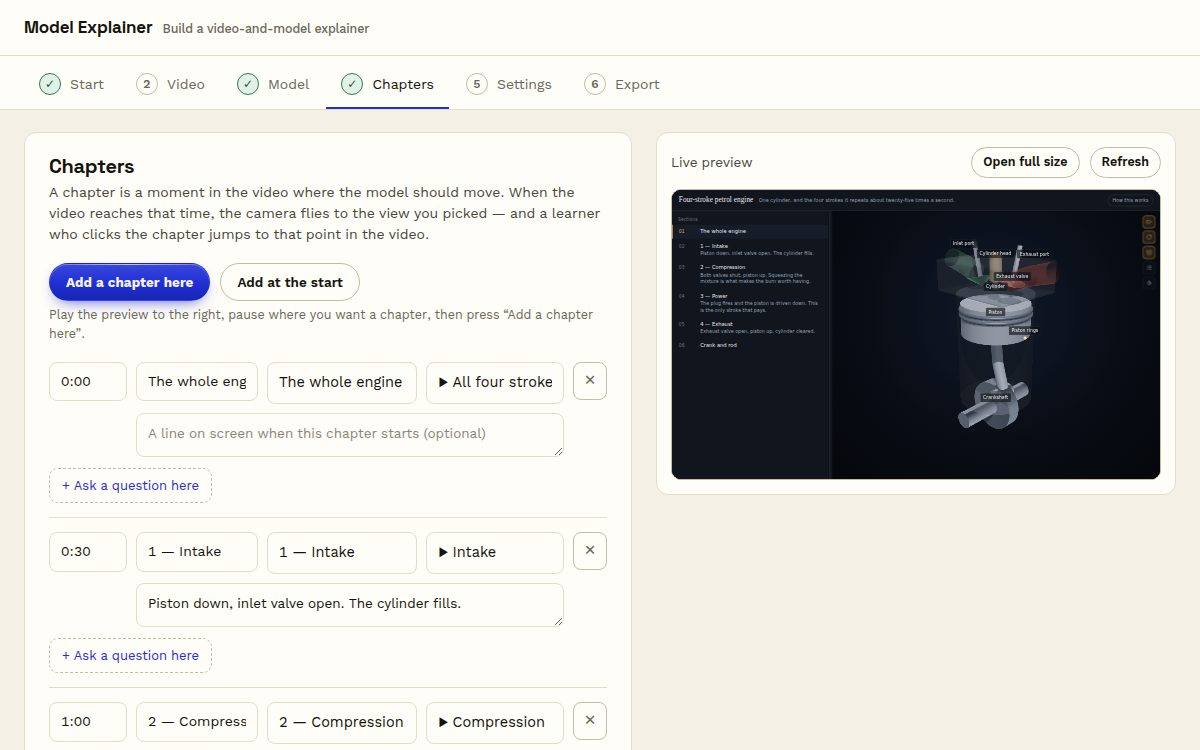
Chapters keep them in step
Each chapter is a time in the video and a view of the model. Play the video and the model follows; click a chapter and the video jumps. Parts can move too, if you ask for movement in the prompt.
A question at the right moment
Any chapter can carry a question with feedback, asked when the video reaches it. Learners answer with the model in front of them, which is the point of having it there.
Honest about video
Link the video and the file stays small; embed it and the file is self-contained but large. The tool says which you have and what it means for where you put it, including the LMS.
Free to build. A plan keeps your work.
Every shape, chapters, questions, both looks and the file are free. A Lazuro Tools plan saves your explainers in your library, adds the writing assistant, and packages them for any LMS. It's the same plan, and the same account, as every other Lazuro builder.
Free
Build and download as many as you like. Save the project file to edit it again later.
Lazuro Tools · $29 a month
Your explainers kept in the library, LMS packaging, and the assistant in every Lazuro builder. Cancel any time.
Lazuro Tools · $290 a year
The same, two months cheaper. Prices in AUD, GST added where it applies; invoices available for organisations.
Want the video recorded and the model written for you? That's a service.
Got something that only makes sense in three dimensions?
Record yourself explaining it, let an AI write the model, and put the two side by side. Free, in the browser, nothing uploaded.
Open the Model Explainer