Lazuro Tools, inside your AI
Add Lazuro Tools to your AI assistant once. After that, ask for a learning activity in plain words: your AI writes the content, and Lazuro builds it into a finished, hosted piece you can share, embed or package for your LMS.
https://www.lazurolearning.com/mcp-preview/mcp
Paste it into your AI app as a custom connector. Step by step below.
Add it to Claude
This works in Claude on the web and in the desktop app, on any plan (the free plan allows one custom connector). You only do it once; after that it's there in every chat you turn it on for.
Open your connectors
In Claude, open the menu and go to your connectors.
Add a custom connector
Choose to add one, then pick the custom option.
Name it and paste the address
Call it Lazuro Tools and paste https://www.lazurolearning.com/mcp-preview/mcp as the server URL. Leave everything else as it is, then select Add. Use the address exactly as shown, including the www.
Sign in and allow
Select Connect. A Lazuro page opens: sign in with your email (or make an account, it's free), then choose Allow. You'll land back in Claude, connected. If you already have a Lazuro account from the other tools, it's the same one.
Turn it on in a chat and ask
In a conversation, use the + button, open Connectors and switch on Lazuro Tools. Then ask for what you want, the way you'd brief a colleague.
On a Team or Enterprise plan, an owner adds the connector once for everyone under Organization settings → Connectors, and each person then selects Connect on it. Other AI apps that support remote MCP connectors with sign-in can use the same address. Claude's own guide: custom connectors ↗.
Brief it like you'd brief a person
Say who it's for, what they should leave with, and anything you want to see. Your AI reads Lazuro's writing guide first, so the scenes come out short, concrete and written for the learner. You can keep refining in the same chat.
Make a Quarry for new casual staff on our five food-safety checks. Gentle level, a step diagram for the handwashing one.
Build an In-tray for a new team leader's first Monday: a 30-minute morning where emails, chats and a diary clash, with a scored debrief on what they prioritised.
Make a Systems Model of our recruitment pipeline so managers can see why hiring freezes still hurt six months later.
Six Lazuro builders, one connector
The same engines as the builders on the Tools page, driven by your AI instead of a form. Each one reads Lazuro's guide for that builder first, so it knows the rules before it writes. Every build comes back as a hosted link, a single HTML file, and a SCORM package for your LMS.
Quarry
Word searches where every find opens a short scene you wrote, and the spare letters spell the takeaway.
Scored · SCORM 1.2 or 2004The In-tray
A timed morning of email, chat and diary that clash, with consequences and a scored debrief.
Scored · SCORM 1.2 or 2004The Systems Model
A stock-and-flow model learners pull on with sliders, to feel delays and feedback for themselves.
Scored challenge · SCORM 1.2 or 2004The Model Explainer
A teaching video beside a 3D model learners can turn over, with checkpoint questions.
Scored questions · SCORM 1.2 or 2004The Universe Builder
An organisation as a 3D universe of teams, with one process traced across every handoff.
Completion · SCORM 1.2 or 2004Long Take
A 3D data story, as a camera film or an explorable dashboard with a guided tour.
Completion · SCORM 1.2 or 2004A finished activity, not a draft
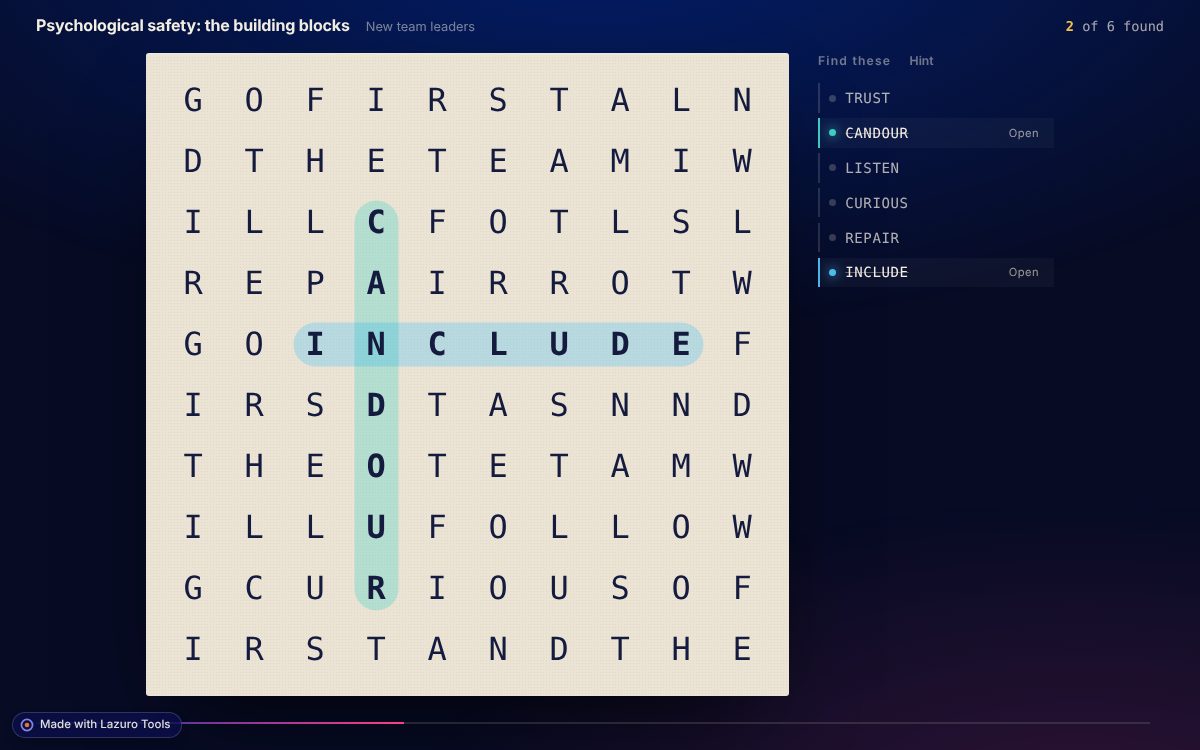
This is the Quarry from the conversation above, exactly as it was built: drag across letters to find a word, and the letters lift off the grid into a short scene. Find all six for the closing takeaway. It's the free version, so it carries the small Lazuro mark.
A link you can share
Every build is hosted on lazurolearning.com. Send the link, or put it in an iframe on a course page or intranet.
One file for your LMS
Each build also downloads as a single HTML file. Drop it into Casing and you have a SCORM package that reports completion and score.
Changed by asking
Ask for a harder level, a new theme or a rewritten scene, and your AI rebuilds it in place. The link stays the same.
Free to connect. A plan takes the mark off.
It's the same account and the same plan as every other Lazuro builder.
Free
- Up to 20 builds a day
- A small "Made with Lazuro Tools" mark under each activity
- Hosted for 30 days, and the file is yours to keep
Lazuro Tools · $29 a month
- No mark, and every build stamped to your licence
- Hosted for a year
- Up to 200 builds a day, plus the assistant in every Lazuro builder
Lazuro Tools · $290 a year
- The same, two months cheaper
- Prices in AUD, GST added where it applies
- Invoices available for organisations
Already subscribed? Connect with the same email and the mark comes off by itself. Running a workshop? Get in touch about access for a group.
Your AI gets a small, specific set of tools
- Build, list and update your Lazuro activities
- Read Lazuro's writing guide, and check your plan and today's allowance
- See your billing, change your account, or see anyone else's builds
- Read your chats, files or other connectors. Lazuro only receives what your AI sends to build the activity
Disconnect any time: Customize → Connectors, then remove Lazuro Tools. Activity links are long and unguessable, but anyone you share one with can open it, so keep personal details out of the content. More in the privacy policy.
Which AI apps does it work with?
Claude on the web and desktop, which is what it's built and tested with. It uses the open Model Context Protocol, so other AI apps that accept remote connectors with sign-in should work with the same address.
What can it build today?
Six of the Lazuro builders: Quarry, the In-tray, the Systems Model, the Model Explainer, the Universe Builder and Long Take (there's a card for each above). Ask your AI what Lazuro Tools can build and it will list them. New builders appear in the connector as they're added.
Why isn't the Conversation Builder in it?
A practice conversation needs a live AI character on every turn, with voice, so it runs on Lazuro's own platform rather than as a file. Write one in the Conversation Builder and embed it the usual way.
Does my AI need to be good at instructional design?
It helps to be clear about the audience and the point. Lazuro hands your AI a short writing guide before it builds, and refuses things that wouldn't work, like a word hidden inside another word.
Where do my builds live, and for how long?
On lazurolearning.com: 30 days on the free plan, a year on a paid plan. Ask your AI to list your builds at any time. Download the file if you want to keep one for good.
Why does it say preview?
It's new and still being shaped. The address may change when it leaves preview; if it does, you'll just add the connector again.
Two minutes to set up, then just ask
Copy the address, add it to Claude, and brief your first activity. If you'd rather have one built with you, that's a service.